GDPR Toolkit
Full GDPR compliance toolkit with consent management, cookie control, and data cleanup.
InfusedWoo includes a comprehensive GDPR compliance toolkit to help your store meet data protection requirements. The toolkit covers consent management, cookie control, personal data access, and data cleanup.
Navigate to InfusedWoo > Modules > GDPR to access the overview dashboard.
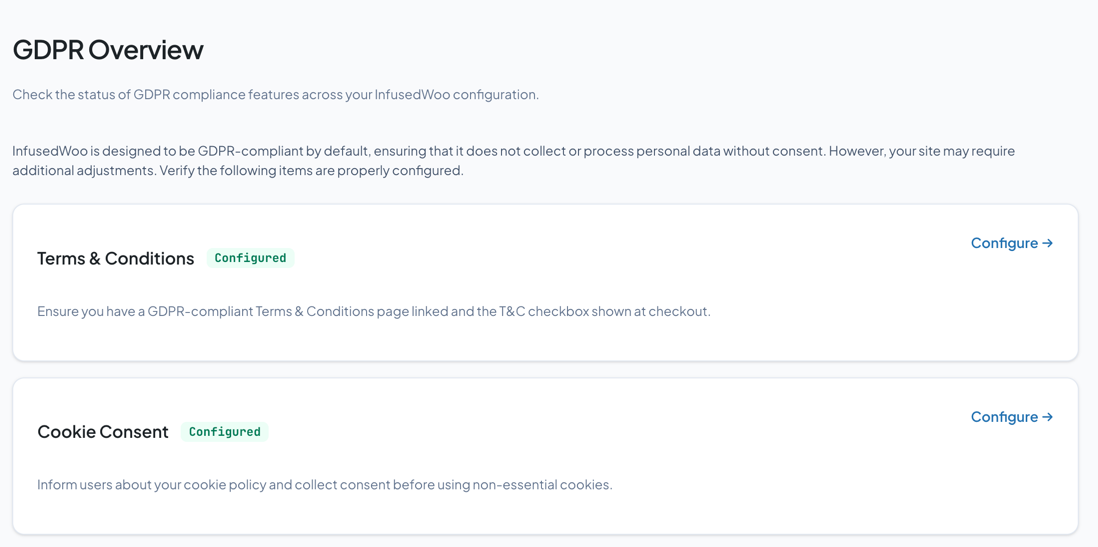
Overview Dashboard
The GDPR overview shows compliance status across six categories:
| Category | Purpose |
|---|---|
| Terms & Conditions | Manage T&C links and require acceptance at checkout |
| Cookie Consent | Display cookie banners and manage consent |
| Personal Data | Control which fields are marked as personal data |
| Consent Topics | Manage opt-in consent checkboxes |
| Tokenized Links | Secure links for customer data access without login |
| Data Cleanup | Remove old identifiable data from records |
Each card shows a status badge and links to its configuration page.
Terms & Conditions
Configure your store’s terms and conditions requirements.
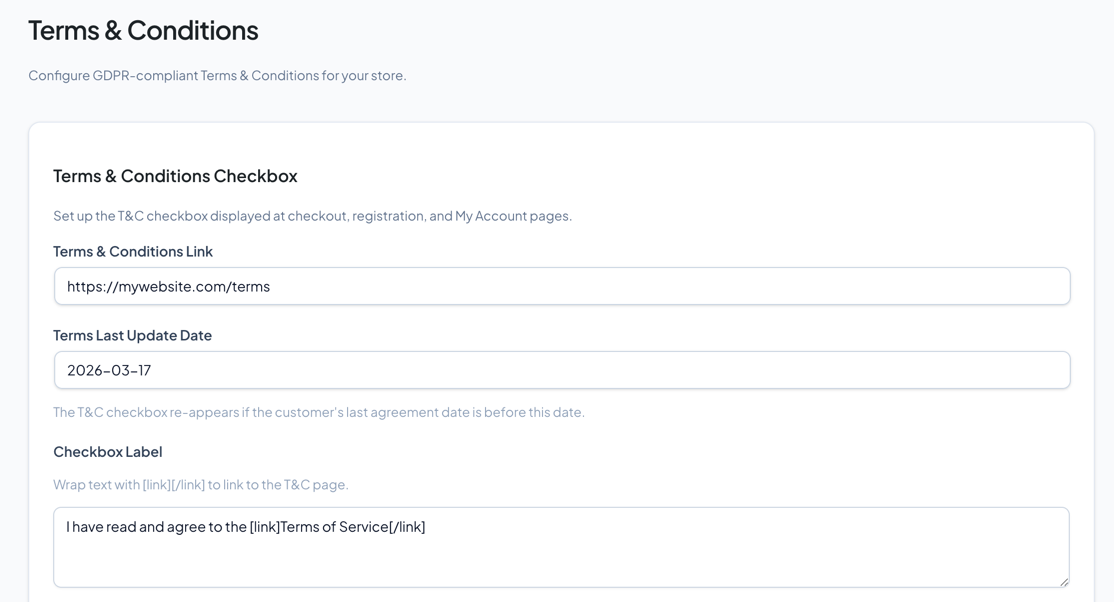
- T&C Link — URL to your terms and conditions page
- Last Updated Date — When your terms were last changed
- Require at Checkout — Show a mandatory checkbox at checkout
- Require at Registration — Show a mandatory checkbox at registration
- Require on My Account — Show acceptance prompt on the My Account page
- Notify customers — Alert customers when terms are updated
Cookie Consent
Display a cookie consent banner on your site.
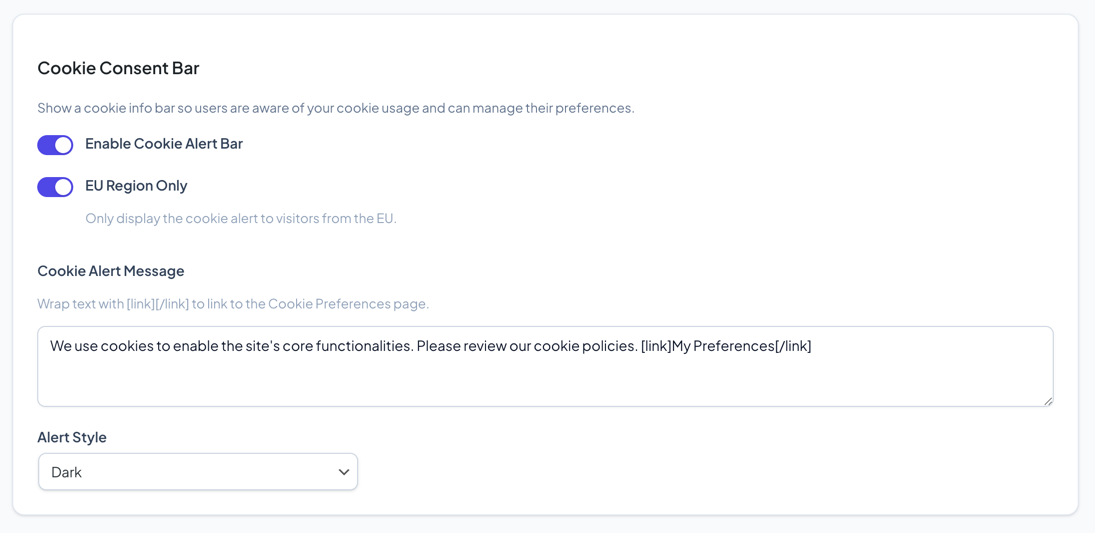
- Banner Theme — Choose between Dark, Light, or Orange styles
- Cookie Categories — Configure descriptions for different cookie types (essential, analytics, marketing)
- Behavior — Control how cookie categories are handled by default
Personal Data
Designate which contact fields contain personal information.
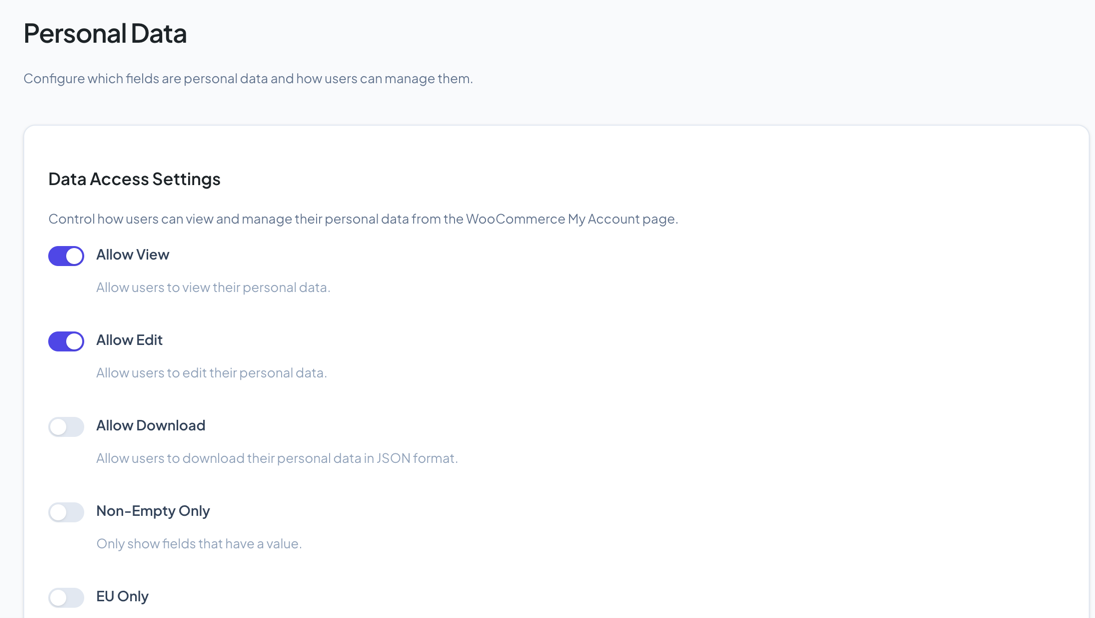
- Select fields that contain personally identifiable information (PII)
- Configure access permissions: view, edit, download
- Set EU-only restrictions for fields that should only be accessible to EU customers
Consent Topics
Manage opt-in consent checkboxes displayed at checkout, registration, and My Account.
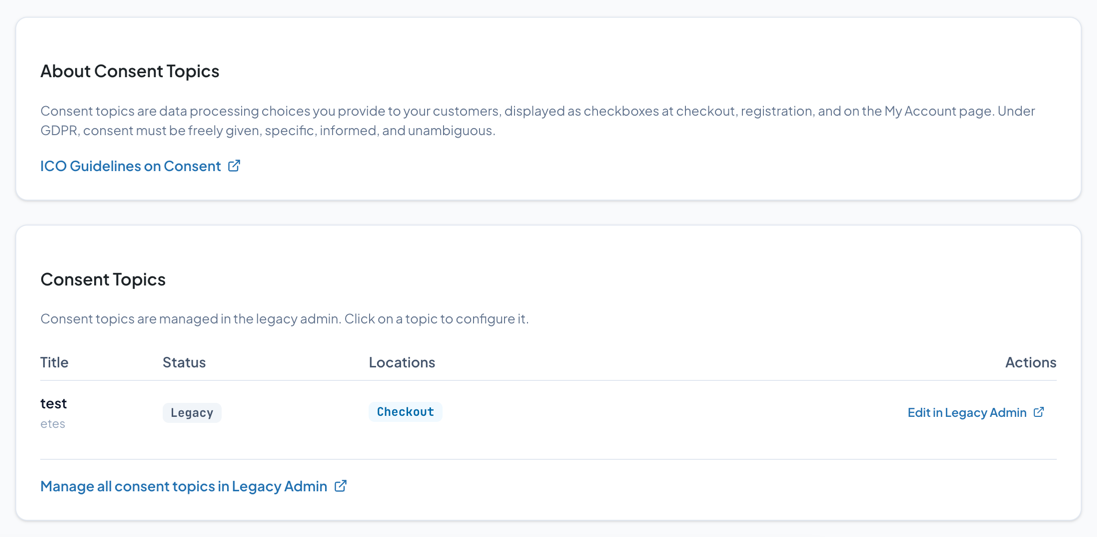
Consent topics are data processing choices you present to customers. Under GDPR, consent must be:
- Freely given — Not a condition of service
- Specific — Clear about what they’re consenting to
- Informed — Plain language, not legal jargon
- Unambiguous — Requires a positive action (opt-in, not opt-out)
Each topic can be shown at checkout, registration, or the My Account page. Consent data is tracked per customer.
Tokenized Links
Generate secure, time-limited links that give customers access to their personal data without requiring a login.
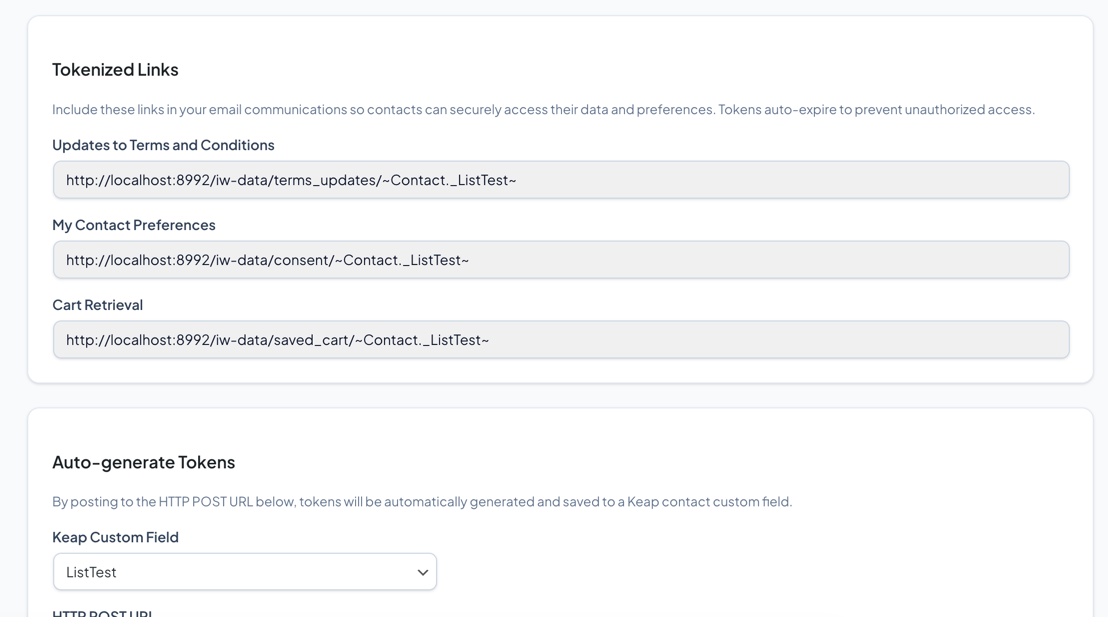
- Token Expiration — Set how long each link is valid
- Automatic Generation — Tokens are generated per customer per field
- Use these links in Keap emails so customers can view/edit their data
Example link format: https://yoursite.com/iw-data/{field}/[token]
Data Cleanup
Remove identifiable information from InfusedWoo records created before version 3.9.
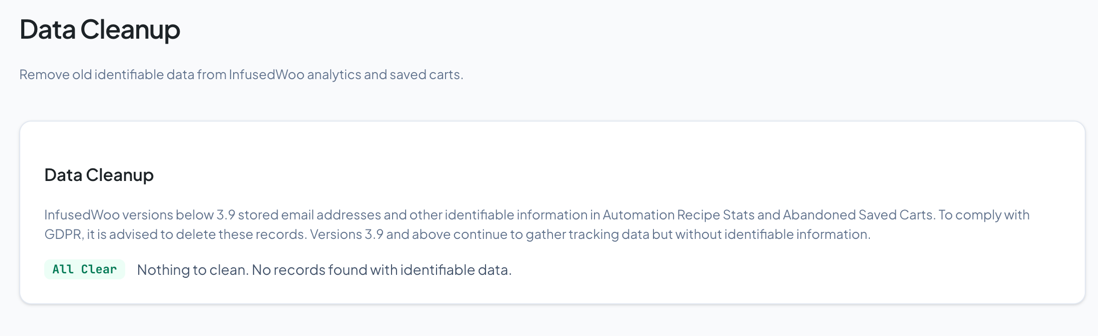
This is a one-time operation for stores that upgraded from older versions. It removes email addresses and other PII from legacy InfusedWoo logs and records.
Warning: This operation is permanent and cannot be undone. Make a backup first.