Auto Order Import
Automatically import orders from Keap into WooCommerce when created outside your store.
Automatically import orders from Keap into WooCommerce when they’re created outside your store (e.g., orders created directly in Keap, via phone sales, or from other integrations).
Navigate to InfusedWoo > Modules > Auto Order Import.
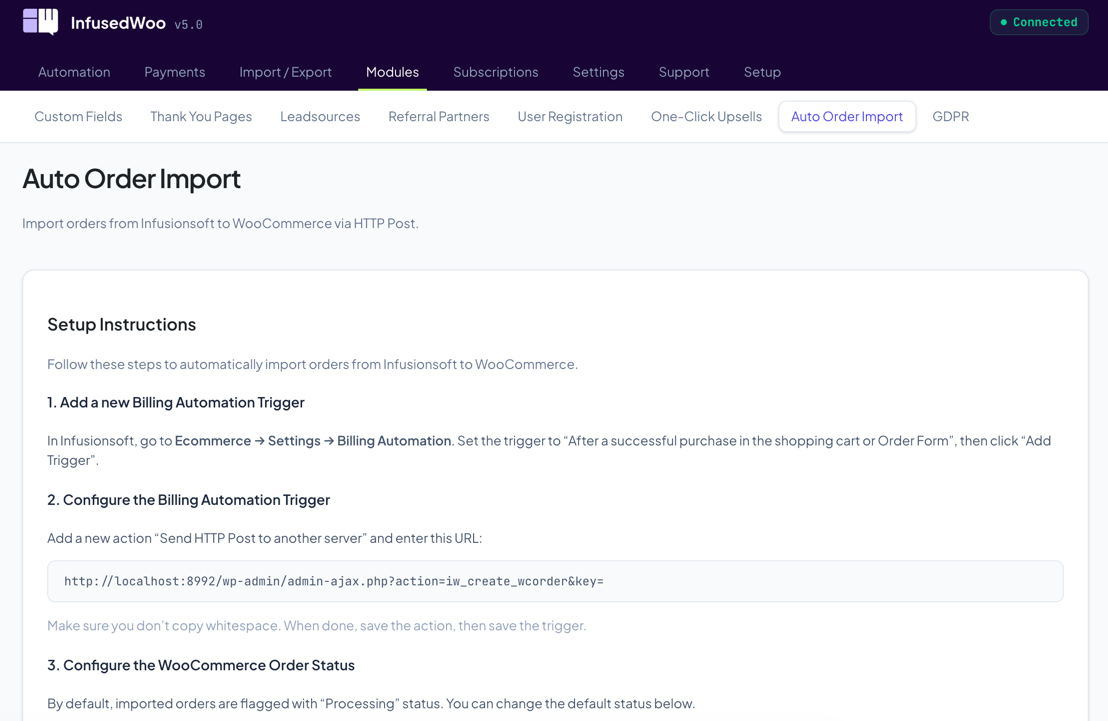
How It Works
When enabled, InfusedWoo periodically checks for new orders in Keap that don’t exist in WooCommerce. Matching orders are automatically imported as WooCommerce orders with the correct products, customer info, and status.
Configuration
| Setting | Description |
|---|---|
| Enable auto import | Turn automatic importing on/off |
| Import frequency | How often to check for new orders |
| Order status | WooCommerce status to assign to imported orders |
| Run automations | Whether to trigger InfusedWoo automations for imported orders |
When to Use This
- You create orders in Keap directly (phone orders, manual sales)
- Other integrations create orders in Keap that need to appear in WooCommerce
- You want WooCommerce to be the central order management system
Tips
- For one-time bulk imports, use the Import & Export wizard instead
- Be careful with “Run automations” — only enable it if imported orders haven’t already been processed
- The auto importer matches orders by Keap order ID to avoid duplicates