From Spreadsheets to Automation: A WooCommerce Store Owner's Journey
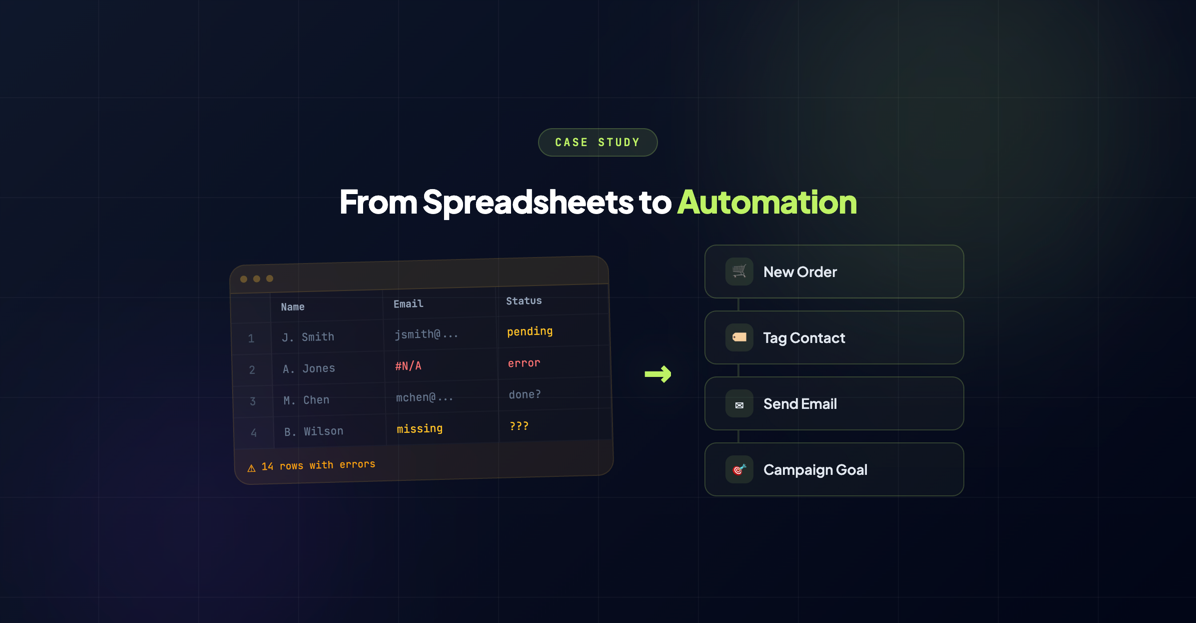
Mike runs a boutique coffee equipment store on WooCommerce. He sells everything from hand grinders and pour-over kits to commercial-grade espresso machines that run $3,000 and up. His customers range from home baristas buying their first Chemex to café owners outfitting entire shops.
For three years, Mike’s “CRM” was a combination of WooCommerce’s built-in orders list, a sprawling Google Sheet called Customer Master List FINAL v3 (2).xlsx, and whatever he could remember off the top of his head.
It worked. Until it didn’t.
The Manual Grind
Here’s what Mike’s typical morning looked like before InfusedWoo:
6:30 AM: Open WooCommerce, export overnight orders to CSV. Copy customer emails into a separate tab in the Google Sheet. Cross-reference against existing entries to avoid duplicates. (Spoiler: duplicates happened anyway.)
7:15 AM: Open Keap. Manually create or update contacts for each new customer. Add order notes. Apply tags — “purchased-grinder” or “purchased-espresso-machine” — one by one.
8:00 AM: Check the Google Sheet’s VIP tab. Anyone who’s spent over $500 lifetime gets a yellow highlight. Anyone over $1,000 gets green. This involved a VLOOKUP formula that broke roughly every other week.
8:30 AM: Finally start doing actual work.
Two hours. Every single day. And that’s when things went smoothly.
The real cost wasn’t just time. It was the things Mike was missing:
- Follow-up emails that never got sent. A customer buys a $2,800 espresso machine and hears… nothing. No setup tips, no “how’s it going,” no accessory suggestions. Just silence.
- Duplicate contacts everywhere. One customer showed up in Keap three times — once as “[email protected],” once as “[email protected],” and once as “[email protected] ” (with a trailing space). Each with partial order history.
- No visibility into repeat buyers. Mike knew he had loyal customers. He just couldn’t tell you who they were without 20 minutes of spreadsheet archaeology.
- Cart abandonment was invisible. Customers would load up $400 worth of brewing gear, disappear, and Mike would never know.
“I knew I was leaving money on the table,” Mike told us. “I just didn’t realize how much.”
The Skeptic’s Discovery
Mike had heard of CRM plugins before. He’d even tried one years ago — a connector that promised automatic syncing but crashed his site within a week. That experience left him deeply skeptical of anything that touched both WooCommerce and Keap at the same time.
When a fellow store owner in an ecommerce Slack group mentioned InfusedWoo, Mike’s first reaction was: “Yeah, I’ve been burned before.”
But the other store owner was persistent. “Just try the setup wizard. If it doesn’t work in 10 minutes, uninstall it.”
So Mike did. On a Tuesday afternoon, between packing orders.
Setup: Easier Than Expected
Mike installed InfusedWoo and opened the setup wizard expecting to spend an hour configuring API keys, mapping fields, and debugging connection errors. Here’s what actually happened:
Step 1: Entered his Keap API credentials. One click to authorize. Done.
Step 2: The wizard auto-detected his WooCommerce products, order statuses, and customer fields. It suggested default mappings — first name, last name, email, phone, billing address — all pre-filled. Mike reviewed them, changed one custom field mapping, and moved on.
Step 3: Initial sync. InfusedWoo pulled his existing WooCommerce customers into Keap, de-duplicated them automatically, and created clean contact records. 847 customers, synced in under three minutes.
“I kept waiting for the part where something would break,” Mike said. “It never came.”
The First Automation: Tagging Repeat Buyers
With the connection live, Mike started small. His first automation recipe was simple: tag anyone who places a second order as “repeat-buyer.”
In Keap, he set up a campaign triggered by that tag: a thank-you email with a 10% discount code for their next purchase. Nothing fancy. Just acknowledgment.
The results surprised him. Within the first month, 15 repeat buyers received the email. Eight of them used the discount code within two weeks. That’s a 53% conversion rate on a campaign that took him 20 minutes to build and zero minutes to maintain.
“That was the moment I got it,” Mike said. “I’d been so focused on getting new customers that I forgot to take care of the ones I already had.”
Scaling Up: Payment Plans, Cart Recovery, and GDPR
Encouraged by early wins, Mike started building more sophisticated workflows.
Payment Plans for Big-Ticket Items
Those $3,000 espresso machines? Plenty of café owners wanted them but couldn’t swing the full price at once. Mike set up Keap payment plans through InfusedWoo — three monthly installments, automatically tracked. WooCommerce handled the initial order; Keap managed the payment schedule and follow-ups.
In the first quarter, payment plan orders accounted for $18,000 in revenue that Mike is confident he would have lost otherwise. “These were customers who had the machines in their cart, abandoned, came back, abandoned again. The payment plan option was the unlock.”
Cart Abandonment Recovery
Speaking of abandoned carts — Mike finally had visibility into them. InfusedWoo tracked when customers added items and didn’t check out, then triggered a Keap sequence: a reminder email at 1 hour, a second at 24 hours with a small incentive, and a final “still interested?” at 72 hours.
The recovery rate? 12% of abandoned carts converted. For a store averaging 40 abandoned carts per month, that meant roughly 5 extra orders — most of them high-value.
GDPR Compliance for EU Customers
About 20% of Mike’s customers are in Europe. Before InfusedWoo, he was technically out of compliance — exporting data manually, no proper consent tracking, no easy way for customers to request data deletion.
InfusedWoo’s GDPR features handled this cleanly. Consent status syncs between WooCommerce and Keap. Customers in the EU get appropriate consent checkboxes. Data deletion requests flow through properly. Mike went from “I hope nobody audits us” to fully compliant without hiring a consultant.
The Numbers: Six Months Later
Mike tracked his metrics carefully for the first six months after implementing InfusedWoo. Here’s what changed:
| Metric | Before | After | Change |
|---|---|---|---|
| Hours/week on data entry | 10+ | <1 | -90% |
| Duplicate contacts in Keap | 200+ | 0 | Eliminated |
| Repeat purchase rate | 18% | 22% | +22% relative |
| Cart recovery rate | 0% (not tracked) | 12% | New revenue stream |
| Payment plan revenue | $0 | $18,000/quarter | New revenue stream |
| GDPR compliance | Uncertain | Full | Peace of mind |
The time savings alone justified the investment. Ten hours a week back meant Mike could focus on sourcing new products, building supplier relationships, and — occasionally — making himself a decent cup of coffee before 9 AM.
But the revenue impact was the real story. Between recovered carts, payment plan conversions, and repeat buyer campaigns, Mike attributed roughly $8,000 in incremental monthly revenue to automations that run without him touching a thing.
What Mike Would Tell You
We asked Mike what he’d say to someone in the same position he was in a year ago — skeptical, spreadsheet-dependent, convinced that plugins are more trouble than they’re worth.
“I’d say: you’re not saving time with spreadsheets. You’re spending time on spreadsheets. There’s a difference. And the stuff you’re not doing because you’re busy copying and pasting? That’s where the real money is.”
“Also,” he added, “the setup wizard really does work. I was shocked.”
Sound familiar? If you’re spending more time on data entry than growing your business, start your free InfusedWoo trial and see what automation can do for your store. Setup takes less than 10 minutes — we timed it.